

What Should Every Productive Home Office Include? The best answer is not “more stuff.” A productive home office needs the right mix of comfort, focus, storage, lighting, and tools that help you work without fighting your space. Whether you work from home full time, run a side business, study online, or handle household paperwork, your setup should make work feel easier, not more stressful.
A good home office supports your body, keeps your supplies close, limits distractions, and helps you shift into work mode. It does not have to be large or expensive. It just has to fit how you work.
What Should Every Productive Home Office Include? The Core Setup
Every productive home office starts with a few basics. These are the items that shape your workday the most. If one of them is missing or uncomfortable, you will likely feel it quickly.
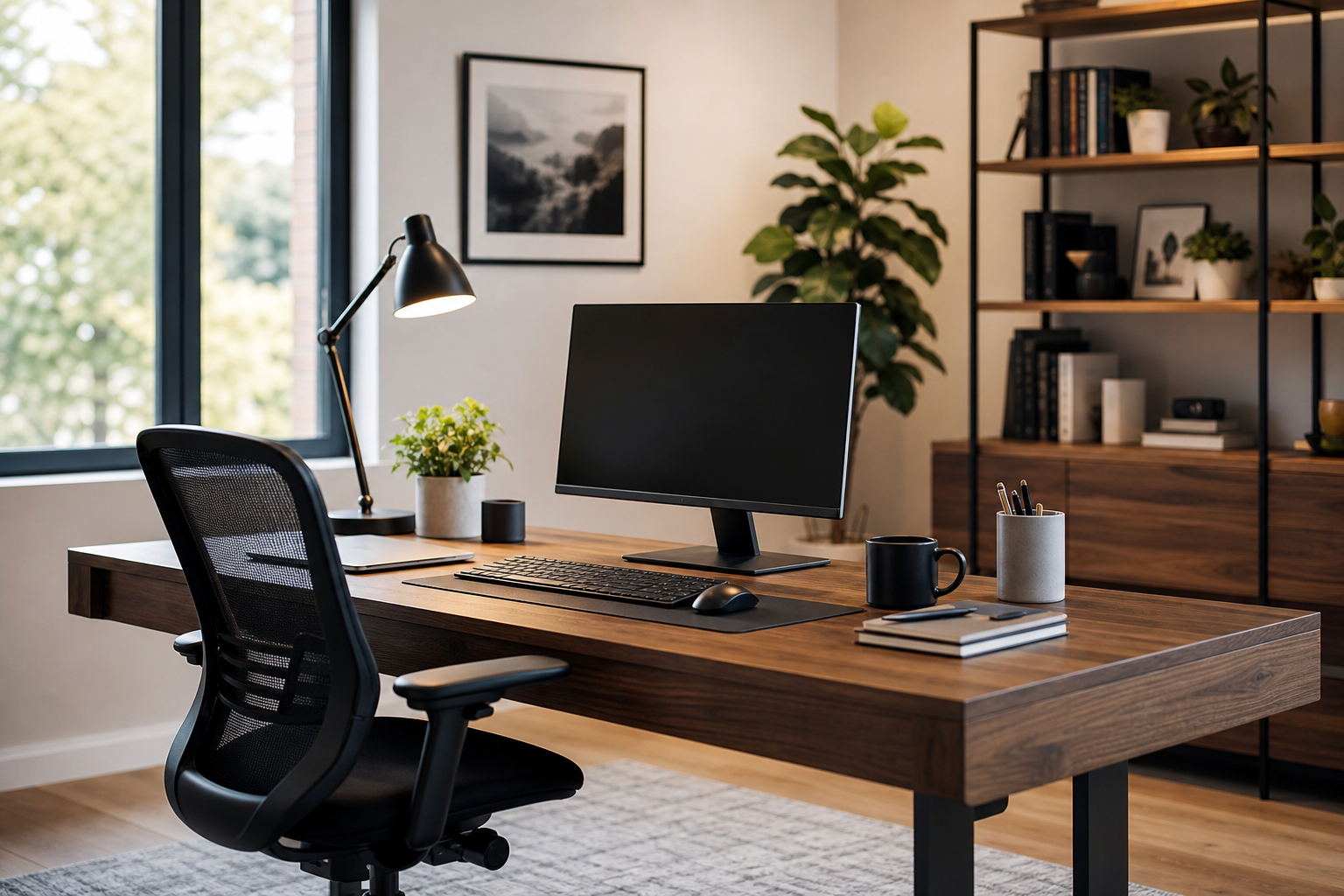
At the center is a steady work surface. This could be a desk, a wall-mounted table, or even a dedicated corner table. The key word is “dedicated.” When your workspace is always ready, you waste less time setting up and putting things away.
Next comes a supportive chair. It should help you sit upright without strain. Your feet should rest flat on the floor or on a footrest. Your back should feel supported. If you use a dining chair, a cushion or small back pillow can help.
You also need a computer or device that fits your work. For many people, this means a laptop or desktop with a reliable internet connection. If your work includes video meetings, writing, design, accounting, or customer service, your device should handle those tasks without constant freezing or delays.
A productive home office should also include:
- A desk or work surface with enough room for your main tasks
- A chair that supports your back and helps you sit comfortably
- A computer, tablet, or laptop that can handle your daily workload
- Reliable Wi-Fi or wired internet access
- Power access for chargers, monitors, lamps, and other devices
- Basic office supplies, such as pens, paper, sticky notes, and folders
These items are simple, but they create the base for a space that works well every day.
Comfort and Ergonomics Matter More Than You Think
Comfort is not a luxury in a home office. It affects how long you can focus and how you feel at the end of the day. A setup that looks nice but causes neck, wrist, or back strain will not stay productive for long.
Ergonomics means arranging your space so your body can work in a natural position. You do not need a complicated setup. Small changes can make a big difference.
Your screen should be near eye level, so you are not looking down all day. Your keyboard and mouse should sit where your arms can relax. Your elbows should stay close to your body. If you work on a laptop, a laptop stand with a separate keyboard and mouse can improve your posture.
The Right Chair and Desk Height
Your chair and desk should work together. If your desk is too high, your shoulders may rise and feel tight. If it is too low, you may lean forward. Both can make work harder.
A good sitting position usually includes:
- Feet flat on the floor or on a footrest
- Knees near a right angle
- Back supported by the chair
- Shoulders relaxed
- Wrists straight while typing
If your chair is not adjustable, you can still improve it. Add a cushion to raise your seat. Use a small pillow for lower back support. Place a sturdy box under your feet if they do not reach the floor.
Screen, Keyboard, and Mouse Placement
Your monitor should be directly in front of you. The top of the screen should be around eye level or slightly below. Keep it close enough that you can read without leaning in.
Your keyboard and mouse should be on the same level. Keep them close enough that your arms do not stretch forward. If you use two monitors, place the one you use most directly in front of you. Put the second one to the side.
These details sound small, but they help reduce daily strain. A comfortable body makes it easier to stay focused.
Lighting, Sound, and Air Quality Shape Your Focus
The room around your desk matters. Light, noise, temperature, and air can all affect your energy. A productive home office should feel clear, calm, and comfortable.
Natural light is helpful when available. A desk near a window can make the room feel brighter and more open. However, glare on your screen can be distracting. If sunlight hits your monitor, use curtains, blinds, or a different desk angle.
You also need task lighting. A desk lamp helps when the room is dim or when you work early or late. Choose a lamp that lights your work area without shining directly into your eyes.
Sound is another major factor. Some people need silence. Others work better with soft background noise. The goal is to control sound as much as possible. If your home is busy, noise-reducing headphones can help. A rug, curtains, or fabric chair can also soften echo in a room.
Air quality and temperature matter too. A stuffy room can make you tired. If possible, open a window for fresh air. A small fan can help move air. Keep the space warm enough in winter and cool enough in summer, so you are not distracted by discomfort.
Your office should support your senses, not overload them.
Organization and Storage Keep Work Moving
Clutter slows you down. It also makes a space feel stressful, even if you do not notice it right away. A productive home office should include simple storage that matches your work style.
You do not need a large filing cabinet unless you handle many papers. For most people, a few smart systems are enough. The goal is to give every common item a home.
Good storage options include:
- A drawer organizer for pens, clips, and small supplies
- A desktop tray for active papers
- A file box or folders for important documents
- Shelves for books, binders, and equipment
- Cable clips or ties to control cords
- A small trash can and recycling bin nearby
Keep your most-used items within arm’s reach. Store less-used items farther away. This reduces visual clutter while keeping your tools available.
Paper can pile up fast. Use categories such as “to do,” “to file,” and “to review.” Avoid creating too many folders, because that can make the system harder to use.
Digital storage matters too. A cluttered computer desktop can be just as distracting as a messy desk. Use clear folder names. Save work where you can find it later. Delete files you no longer need when it makes sense.
A clean workspace does not have to look perfect. It just needs to help you find what you need without wasting time.
Technology and Tools That Support Daily Work
Technology should make work smoother. It should not become a daily problem. A productive home office needs dependable tools for communication, focus, and routine tasks.
Start with internet service that supports your work. Video calls, large file uploads, streaming training sessions, and cloud-based programs can all require a stable connection. If your signal is weak, moving your router, using a wired connection, or adding a signal extender may help.
Many people also benefit from an external monitor. A larger screen makes it easier to compare documents, join video meetings, or work in several windows. A separate keyboard and mouse can make typing more comfortable, especially if you use a laptop.
For video meetings, clear sound is important. Built-in laptop microphones can work, but a basic headset or external microphone may improve clarity. Good lighting also helps your camera image look more natural.
Useful technology and tools may include:
- A monitor for a larger viewing area
- A webcam or built-in camera for meetings
- A headset or earbuds with a microphone
- A printer or scanner if you handle paper documents
- A surge protector for safer power access
- A backup drive or secure cloud storage for important files
Only choose tools that fit your real work. Extra gadgets can create clutter if you do not use them.
Personal Boundaries and Distraction Control
A home office is still inside your home, so distractions are part of the challenge. Laundry, dishes, pets, children, TV, and doorbells can all pull your attention away. A productive setup should include boundaries, not just furniture.
If you have a separate room, a door is helpful. If you work in a shared area, use visual signals. A room divider, bookshelf, curtain, or even a specific desk mat can mark the work zone.
Your phone can also be a distraction. Keep it nearby if you need it for work, but control alerts when possible. Turn off non-work notifications during focus time. Place the phone face down or slightly out of reach if you tend to check it often.
Set clear household expectations when you can. Let others know when you are in a meeting or need quiet. For families, a simple sign or schedule can reduce interruptions.
Mental boundaries matter too. When your office is always visible, it can be hard to stop working. Try to close your laptop, clear your desk, or turn off your lamp at the end of the work period. These small habits signal that work time is over.
Style, Motivation, and a Space You Enjoy
Productivity is not only about function. You are more likely to use a space that feels pleasant. Your home office should match your taste while still staying practical.
Choose colors, textures, and decor that help you feel calm or focused. This could mean a simple desk, a plant, framed art, a soft rug, or a favorite mug. Keep decor limited enough that it does not crowd your work area.
A wall calendar or small whiteboard can help with planning. A notebook can keep quick thoughts in one place. A visible clock may help you track time without checking your phone.
Plants can make a workspace feel more alive, but they are not required. If you prefer a clean, minimal setup, that can be productive too. The best office style is the one that supports your habits.
Personal touches should have a purpose. They can make the space feel welcoming, remind you of goals, or help you feel settled. The point is to create a room or corner where work feels natural.
Frequently Asked Questions
What is the most important item in a productive home office?
The most important item is usually a comfortable, dedicated workspace that supports daily tasks. A good desk and chair setup helps you focus, sit better, and keep work materials in one place.
Do I need a separate room for a home office?
No, you do not need a separate room to create a productive office. A quiet corner, small desk, or shared room can work well if it has clear boundaries.
How can I make a small home office more productive?
Use vertical storage, keep only daily items nearby, and choose furniture that fits the space. Good lighting and cable control can also make a small office feel easier to use.
What should I avoid in a home office setup?
Avoid poor lighting, an uncomfortable chair, too much clutter, and tools you do not use. These things can make your workspace feel stressful and reduce your focus.
How do I keep my home office organized every day?
Use simple storage, clear your desk after work, and give each item a regular place. A few minutes of daily cleanup can prevent clutter from building up.